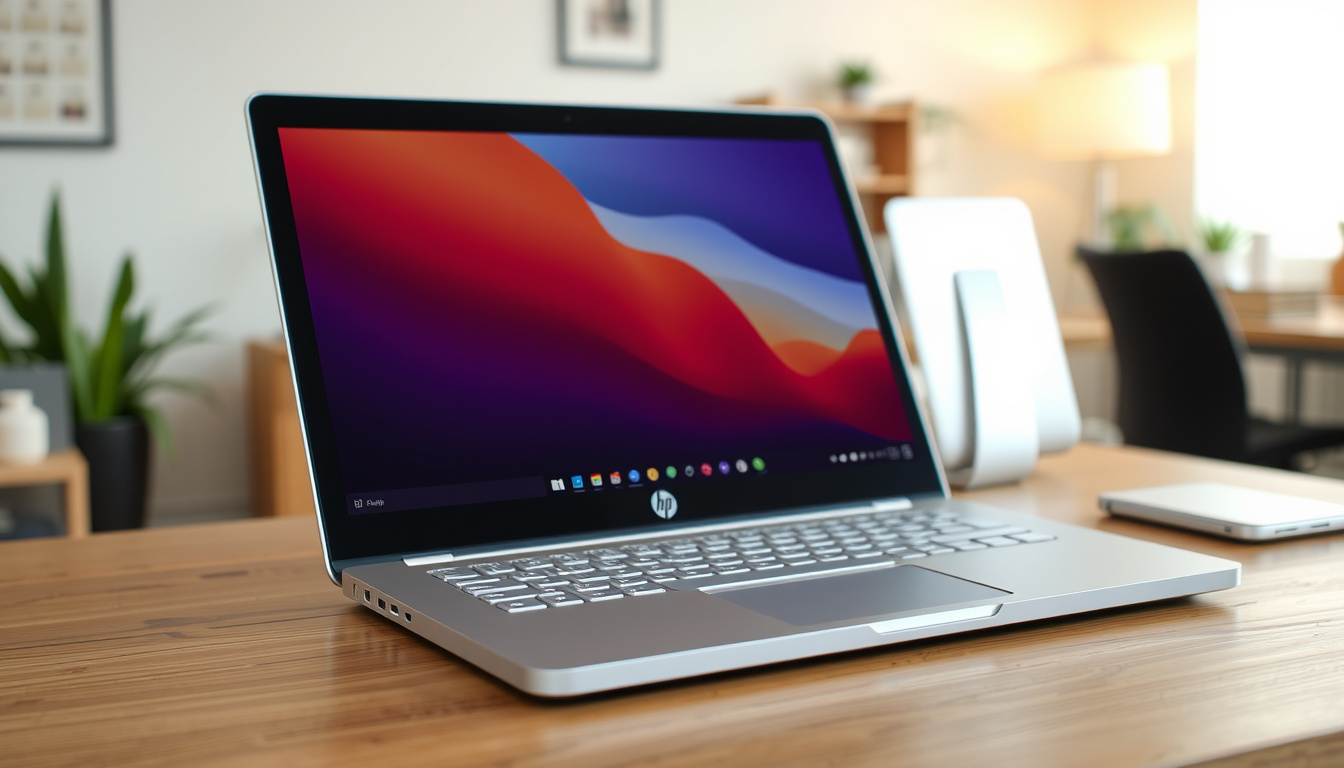
Anyone who’s shopped for a 2-in-1 laptop on a reasonable budget has almost certainly landed on the HP Pavilion x360 at some point. It’s been a go-to option for students and casual users who want a touchscreen and tent-mode versatility without the premium price tag.
Processor options: Intel Core i5 or i7 (12th Gen) ·
Screen size: 14-inch touchscreen ·
Weight: Approx. 3.5 lbs (1.6 kg) ·
Battery life: Up to 10 hours (typical) ·
Starting price (2025): $600–$800 USD
Quick snapshot
- HP discontinued the Spectre x360 line in July 2025 (HP Tech Takes, HP’s official product blog)
- Pavilion x360 models ship with Intel 12th Gen Core processors (HP Tech Takes)
- 14-inch Full HD touchscreen is standard across current configurations (Notebookcheck, independent laptop testing authority)
- Exact production end date for units sold under the Pavilion x360 name
- Whether all Pavilion x360 accessories are compatible with the OmniBook 5
- Availability of official replacement batteries for 2020–2022 models
- 2019: Pavilion x360 14 series introduced
- 2023: Major refresh with 12th Gen Intel processors and redesigned chassis
- July 2025: HP announces Spectre x360 discontinuation
- 2025: Pavilion x360 rebranded as HP OmniBook 5
- OmniBook 5 continues as the direct successor
- Existing Pavilion x360 inventory remains on sale through retailers
- HP support and warranty coverage unchanged for current owners
The Pavilion x360 lineup covers a range of configurations. Six specs define the most common 2023-and-later models.
| Spec | Details |
|---|---|
| Processor | Intel Core i5-1235U to i7-1255U (12th Gen) |
| RAM | 8GB or 16GB LPDDR4x |
| Storage | 256GB or 512GB PCIe NVMe SSD |
| Display | 14-inch diagonal, Full HD (1920×1080), IPS, touch, Corning Gorilla Glass |
| Weight | 3.5 lb (1.58 kg) |
| Battery | 43 Wh Li-ion, up to 10 hours mixed use |
The pattern: these specs tell you the Pavilion x360 is built for everyday tasks, not heavy workloads.
Is the HP Pavilion x360 a good laptop?
Performance overview
- 12th Gen Intel Core i5 and i7 processors power the current generation, paired with Intel Iris Xe integrated graphics (HP Tech Takes, HP’s official product blog)
- RAM options of 8GB or 16GB LPDDR4x handle everyday multitasking and light creative work
- Storage starts at 256GB PCIe NVMe SSD and goes up to 1TB in higher-end configurations (Notebookcheck)
For browsing, streaming, Office apps, and note-taking, the Pavilion x360 delivers snappy performance. It is not built for heavy video editing or modern gaming — the integrated Iris Xe graphics handle casual titles but struggle with demanding 3D workloads.
The implication: this laptop fits a student or home user, not a gamer or video editor.
Build quality and design
- The 360-degree hinge allows laptop, tent, stand, and tablet modes (HP Tech Takes)
- Chassis is plastic with an aluminum palm rest, keeping weight at roughly 3.5 pounds (Notebookcheck)
- A reported complaint on user forums: hinge looseness can develop after 18–24 months of regular use
The design prioritizes portability and flexibility over premium feel. It does not match the all-aluminum build of the Envy or Spectre lines, but it also costs significantly less.
What this means: you trade a premium chassis for a lower price and lighter weight.
Value for money
- TechRadar’s review noted a starting price around £699 (about $850 USD) for an Intel Core i3 configuration, with Core i7 models reaching roughly £1,000 (TechRadar, consumer technology review outlet)
- Current 2025 street prices in the US range from $600 to $800 for i5/i7 configurations
- Student discounts and back-to-school promotions frequently knock $50–$100 off
The pattern: the Pavilion x360 competes directly with Dell Inspiron 2-in-1, Lenovo IdeaPad Flex, and Acer Spin 5, offering similar specs for similar money.
Buyers who prioritize a metal chassis and sustained performance face a real choice: the Pavilion x360 saves $300–$500 upfront but uses plastic construction and integrated graphics that limit its useful life for demanding software.
How old is an HP Pavilion x360 laptop?
Determining the release year of your model
- The easiest method: check the serial number and product number on the bottom label, then enter them on HP’s support site
- HP’s warranty lookup tool returns the original purchase date and configured model specs (HP Support, HP’s official warranty portal)
- Model numbers contain generation clues — for example, “14-ek” indicates the 2023 refresh
Most Pavilion x360 units on the secondhand market today are from 2020 through early 2024. The 2023 refresh was the most substantial update, introducing 12th Gen Intel processors and a redesigned hinge mechanism.
The implication: if you are buying used, target a 2023 model for the best performance and connectivity.
Common generation identifiers
- 2019–2020 models: Intel 10th Gen, smaller trackpad, barrel charging port
- 2021 models: Intel 11th Gen, USB-C charging added on some variants
- 2023 models: Intel 12th Gen, redesigned chassis, USB-C and barrel dual charging
The 2023 refresh is visually distinguishable by its thinner bezels and a more centered touchpad. If your unit has a 12th Gen sticker, it is the current generation.
What this means: the model number is your quickest identifier for generation and capabilities.
Key differences between 2023 and older models
- Processor leap from 11th Gen to 12th Gen delivered roughly 15–20% multi-core improvement
- Wi-Fi upgraded from Wi-Fi 5 (802.11ac) on many 2019 models to Wi-Fi 6 on 2023 units (Notebookcheck)
- Battery capacity remained near 43 Wh, but efficiency gains extended real-world run time by about an hour
The implication: if you are buying used, target a 2023 model. The performance and connectivity upgrades justify the price difference over older generations.
Is the HP x360 discontinued?
HP Spectre x360 discontinuation (July 2025)
- HP announced in July 2025 that it would discontinue the Spectre x360 line, ending a decade of premium 2-in-1 production (HP Tech Takes)
- The Spectre x360 was HP’s flagship convertible, sitting above the Pavilion in price and build quality
- Existing Spectre inventory continues to sell through retailers, but no new models will be produced
This decision consolidates HP’s 2-in-1 lineup under the OmniBook branding.
The pattern: HP is streamlining its convertible portfolio, not abandoning it.
Pavilion x360 rebranded to OmniBook 5
- The Pavilion x360 has not been discontinued — it is now sold as the HP OmniBook 5 (HP Tech Takes)
- The OmniBook 5 carries forward the same 14-inch 2-in-1 design, processor options, and price positioning
- HP’s rebranding aligns its consumer lineup under the OmniBook name, similar to how it unified business laptops under EliteBook
For shoppers, the OmniBook 5 is the Pavilion x360 by another name. Specs, warranty terms, and support channels remain unchanged.
What this means: the OmniBook 5 is not a new laptop; it is a renamed Pavilion x360.
Availability of Pavilion x360 models in 2025
- Retailers like Best Buy, Amazon, and HP.com still list new Pavilion x360 units in inventory
- HP’s own store now defaults to the OmniBook 5 product page, but older Pavilion stock remains active
- Discounts on Pavilion x360 units are common as retailers clear inventory for OmniBook 5 stock
What are the common problems with the HP Pavilion x360?
Battery and charging issues
- Battery swelling has been reported on 2020–2021 models, typically after 2–3 years of use (iFixit, community repair forum)
- Charger compatibility varies: 2019 models use a barrel plug, while 2023 models add USB-C charging via a 45W adapter (Notebookcheck)
- Using a third-party charger with incorrect wattage can cause slow charging or battery errors
If you notice the trackpad becoming stiff or the chassis bulging, inspect the battery immediately — swelling is a fire risk.
The implication: battery swelling is a known issue on older models; check your unit regularly.
Touchscreen responsiveness
- Some users report intermittent touch unresponsiveness after 12–18 months, often resolved by a display driver reinstall (HP Support, HP’s official support documentation)
- Digitizer issues are less common on 2023 models with Corning Gorilla Glass than on earlier versions
- The optional HP MPP 2.0 Tilt Pen works reliably on the touchscreen, but palm rejection can be inconsistent in tablet mode
Touchscreen quirks are annoying but rarely indicate hardware failure. A driver update fixes most cases.
What this means: software fixes resolve most touchscreen problems; hardware failure is rare.
Hinge and build concerns
- User forum posts describe hinge loosening over time, particularly on units used heavily in tablet mode
- The plastic hinge assembly is the most common mechanical failure point after 2–3 years
- HP’s warranty covers hinge defects for one year; extended warranty plans may cover repairs beyond that
The hinge assembly is the Pavilion x360’s weakest mechanical component. Owners who frequently use tent or tablet mode should treat the hinge gently and consider a protective case.
The pattern: hinge wear is the Pavilion x360’s most predictable mechanical failure.
Is the HP Pavilion a low-end laptop?
Positioning within HP’s laptop lineup
- HP’s consumer tiers from entry to premium: Stream → Pavilion → Envy → Spectre (now OmniBook)
- The Pavilion x360 sits in the middle — above entry-level Stream models but below the metal-built Envy and former Spectre lines (HP Tech Takes)
- It competes directly with Dell Inspiron 2-in-1, Lenovo IdeaPad Flex, and Acer Spin 5
The implication: the Pavilion x360 is a mainstream device, not a low-end one.
Comparison with Spectre and Envy series
- Build: Pavilion uses plastic and aluminum mix; Envy uses all-aluminum; Spectre used CNC-machined aluminum
- Display: Pavilion’s 300-nit touchscreen is adequate indoors; Envy offers OLED options at higher brightness
- Price: Pavilion starts around $600; Envy starts around $850; former Spectre started at $1,200+
The Pavilion x360 is not a low-end laptop — it is a mainstream device with compromises to hit a lower price point. Calling it “budget-friendly” is accurate; calling it “cheap” undersells its capability.
What this means: you get a solid 2-in-1 for the money, but you sacrifice premium materials.
Target audience and typical use cases
- Students: the 2-in-1 form factor works for note-taking, research, and streaming lectures
- Home users: browsing, email, video calls, and light photo editing
- Professionals on a budget: sufficient for Office 365, Slack, and web-based business tools
The pattern: if your workload fits within 16GB of RAM and integrated graphics, the Pavilion x360 is a solid value. If you need sustained rendering or dedicated GPU power, budget for an Envy or a gaming laptop instead.
What’s the lifespan of an HP Pavilion laptop?
Expected longevity (years)
- Average lifespan for an HP Pavilion laptop is 3 to 5 years before performance or battery degradation prompts an upgrade
- Battery typically holds 70–80% of original capacity after 2–3 years, depending on charging habits
- Storage and RAM are not user-upgradeable on most 2023 models, which caps the practical lifespan
The implication: plan on replacing the Pavilion x360 after 3–5 years.
Factors affecting lifespan
- Heat: using the laptop on soft surfaces blocks ventilation and accelerates component wear
- Charge cycles: keeping the battery plugged in at 100% constantly reduces its lifespan faster than cycling between 20% and 80%
- Physical wear: the 360-degree hinge is the most likely mechanical part to fail
What this means: how you use the laptop directly affects how long it lasts.
Tips to extend life
- Use HP’s battery care feature (in BIOS) to limit maximum charge to 80% if the laptop stays plugged in most of the time (HP Support)
- Clean dust from vents every 6 months using compressed air — this keeps thermals in check
- Run HP Support Assistant monthly to install BIOS and driver updates that fix stability issues
HP Pavilion x360 – Full specifications
Eight specs that define the 2023-and-later Pavilion x360 14, based on HP’s official configurator and third-party testing.
| Component | Specification |
|---|---|
| Processor | Intel Core i5-1235U (10 cores, up to 4.4 GHz) or i7-1255U (10 cores, up to 4.7 GHz) |
| Graphics | Intel Iris Xe integrated |
| RAM | 8GB or 16GB LPDDR4x-3200 (soldered, not upgradeable) |
| Storage | 256GB, 512GB, or 1TB PCIe NVMe M.2 SSD |
| Display | 14″ IPS touch, 1920×1080, 300 nits, Corning Gorilla Glass |
| Wireless | Wi-Fi 6 (2×2) and Bluetooth 5.0 or 5.3 (varies by submodel) |
| Ports | 1× USB-C, 2× USB-A, 1× HDMI 2.1, 1× 3.5mm headphone, microSD reader |
| Battery | 43 Wh Li-ion, 45W adapter (USB-C or barrel depending on generation) |
The pattern: these specs tell you the Pavilion x360 is a capable everyday machine with clear limits on gaming and creative work.
HP Pavilion x360 – Pros and cons
Upsides
- Affordable entry point for a 2-in-1 with a responsive touchscreen
- Solid everyday performance from 12th Gen Intel processors
- Light weight (3.5 lbs) makes it easy to carry between classes or meetings
- USB-C charging on newer models adds convenience
- Optional HP MPP 2.0 Tilt Pen support for note-takers
Downsides
- Plastic hinge assembly prone to looseness after extended use
- RAM is soldered and not upgradeable after purchase
- Integrated graphics limit gaming and creative software performance
- Battery swelling reported on some 2020–2021 models
- Charger type varies by generation, causing confusion for replacement buyers
What this means: the Pavilion x360 offers good value for its price, but its build and upgrade limitations are real tradeoffs.
How to troubleshoot common HP Pavilion x360 issues
Four steps address the most frequently reported problems, from touchscreen glitches to battery concerns.
Step 1: Fix touchscreen unresponsiveness
- Open Device Manager, locate “Human Interface Devices,” right-click “HID-compliant touch screen,” and select “Update driver” (HP Support)
- If that does not work, run the Windows Hardware and Devices troubleshooter from Settings → System → Troubleshoot
- Recalibrate the touchscreen by typing “calibrate” in the Start menu and following the on-screen crosshair taps
Step 2: Resolve battery not charging
- Check whether the charger is a barrel type (older models) or USB-C (2023+ models) — using the wrong adapter prevents charging
- Inspect the charging port for debris or bent pins; compressed air can clear dust
- Hold the power button for 15 seconds with the charger unplugged, then reconnect and attempt to power on
Step 3: Address hinge stiffness or looseness
- If the hinge feels loose, check whether the chassis screws on the bottom panel are tight — Torx T5 screws can loosen over time
- Do not lubricate the hinge; oil can seep into the display assembly and damage components
- If the hinge is physically broken, the top cover assembly must be replaced — HP authorized service centers charge $80–$150 for this repair
Step 4: Improve battery life
- Enable HP’s battery care in BIOS to cap charge at 80% for extended plugged-in use
- Lower screen brightness to 60% and disable keyboard backlighting when not needed
- Review background apps in Task Manager — browser extensions and chat apps are common battery drains
Most Pavilion x360 issues can be resolved with software fixes or simple cleaning. The hinge and battery are the only components that may require professional service within the laptop’s 3–5 year lifespan.
HP Pavilion x360 timeline
- – HP introduces the Pavilion x360 14 series, establishing the 2-in-1 convertible form factor at a mid-range price point
- – Major hardware refresh: 12th Gen Intel Core processors, redesigned chassis with thinner bezels, and USB-C charging added
- – HP announces discontinuation of the Spectre x360 line, signaling a shift to the OmniBook branding for all consumer convertibles (HP Tech Takes)
- – HP rebrands the Pavilion x360 as the HP OmniBook 5, continuing production under the new name with identical hardware
What we know and what remains unclear
Confirmed facts
- HP has discontinued the Spectre x360 as of July 2025
- The Pavilion x360 is now sold under the name OmniBook 5
- 2023 model features Intel 12th Gen processors and Wi-Fi 6
- Touchscreen is standard on all Pavilion x360 configurations
- Battery swelling has been documented on some 2020–2021 units
What remains unclear
- Exact production end date for units carrying the Pavilion x360 name
- Availability of official replacement batteries for 2020–2022 models
- Whether all Pavilion x360 accessories (docks, pens, cases) are fully compatible with the OmniBook 5
What reviewers and users say
“The HP Pavilion x360 is a solid all-rounder for the price.”
— YouTube hardware reviewer, 2023 hands-on review (Pro TechLab)
“We are streamlining our consumer 2-in-1 portfolio under the OmniBook brand to simplify the buying experience.”
— HP press release, July 2025
“After two years the hinge got really wobbly. It still works, but it doesn’t feel sturdy anymore.”
— iFixit forum user describing hinge wear (iFixit community repair forum)
Frequently asked questions
Does the HP Pavilion x360 have a backlit keyboard?
Yes, most 2023 and later models include a backlit keyboard. Older 2019–2021 configurations may not have it — check the product listing for “backlit” in the keyboard section.
Is the HP Pavilion x360 compatible with Windows 11?
Yes. All Pavilion x360 models with Intel 8th Gen processors or newer are Windows 11 compatible. Current 12th Gen models ship with Windows 11 Home pre-installed.
What ports are available on the HP Pavilion x360?
The 2023 model includes one USB-C port, two USB-A ports, one HDMI 2.1 port, a 3.5mm headphone jack, and a microSD card reader. Older models may swap the microSD for a full-size SD slot.
Can I upgrade the RAM on the HP Pavilion x360?
No. The RAM is soldered to the motherboard on 2021 and later models. Choose 16GB at purchase if you need it — there is no upgrade path afterward.
Is the HP Pavilion x360 good for gaming?
It handles casual and older titles well due to Intel Iris Xe graphics, but it is not suitable for modern 3D gaming. Expect playable frame rates only at low settings for games released after 2022.
How do I reset the HP Pavilion x360 to factory settings?
Go to Settings → Update & Security → Recovery, then click “Reset this PC.” Choose “Remove everything” for a full factory reset. Back up your files first — this erases all personal data.
Does the HP Pavilion x360 support a stylus?
Yes. It supports the HP MPP 2.0 Tilt Pen, which is sold separately. The touchscreen is compatible with any active MPP pen, including third-party options.
What is the warranty period for the HP Pavilion x360?
HP includes a standard one-year limited warranty. Extended warranty plans covering up to three years are available at purchase through HP or authorized retailers.

Liam O'Brien covers Australian politics and public affairs for Downunder Brief.